2/01/2011

CSN Stores Review - coming soon!

Dreaming of spring, warm weather and enjoying the outdoors?  I know I have.  If your dream includes fun in your own backyard on a swing set,
cooking up burgers on the grill, or lounging on a chaise lounge by the pool - you can find all those and more at CSN Stores. All 200+ stores are accessible from your computer.  Just search, click and have the fun delivered to your door.

I'm shopping there myself and will be back soon with a review. Haven't quite made up my mind on what I'm buying yet - I have a long wish list!  :)

Note: CSN Stores contacted me with this promotional opportunity and I am receiving a giftcard to use to purchase an item  for my review.  However, all  opinions expressed are strictly my own.

1/31/2011

Shoot and Edit: Red

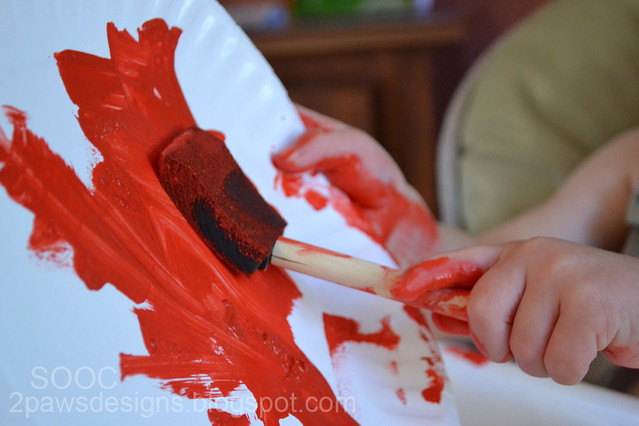
Saturday I pulled out the paints so we could make a handprint heart plaque (yes, I'm officially addicted to handprint & footprint art while Dylan is still small).  Dylan was sooo excited and very patient with Trent & I as we helped him.  Afterward, I handed him the paper plate I had squirted red paint on and the foam brush so he could "free paint."  He had a blast.  And I got several shots.  My favorite for the Shoot and Edit red challenge is this one:

ISO 3200, ss 1/100, f5.3
Join in the fun with Forever'n Ever'n Always Photography and Ramblings and Photos:

1/28/2011

Shoot and Edit: Good Night edit

When I went to edit my Good Night photo, I was momentarily stumped.  It was one of my first in manual mode (trying hard to learn and become more comfortable with that over auto) and truthfully, I liked the softness.  That said, I forged on ahead and started working on adjustments beginning with the duplicate layer, high pass filter that Ashley has mentioned in the previous weeks.  From there, I started following along with the first half of this week's tutorial.

I added a new adjustment layer for curves and bumped up the lightness ever so slightly.  Just enough that the texture in the lamp shade begins to show.  Added an adjustment layer for hue/saturation (hue: 0; saturation: -10; lightness: -3).  Merged all layers.  Then used the noise filter, median.  This was another setting I barely tweaked - 4 pixels - but it sharpened it up enough I think.  When I tried a bit greater, the image seemed too soft.

ShootandEdit-GoodNight-edit

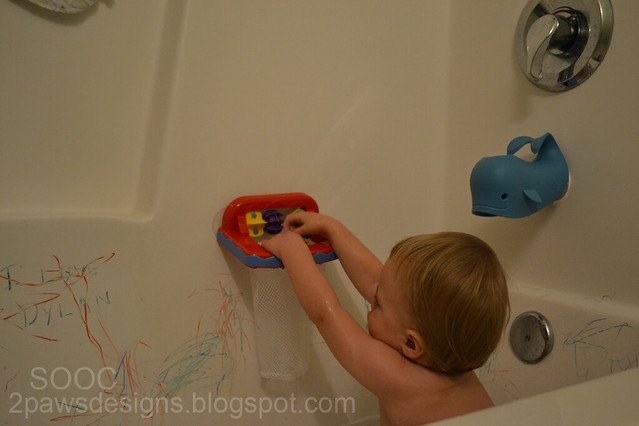
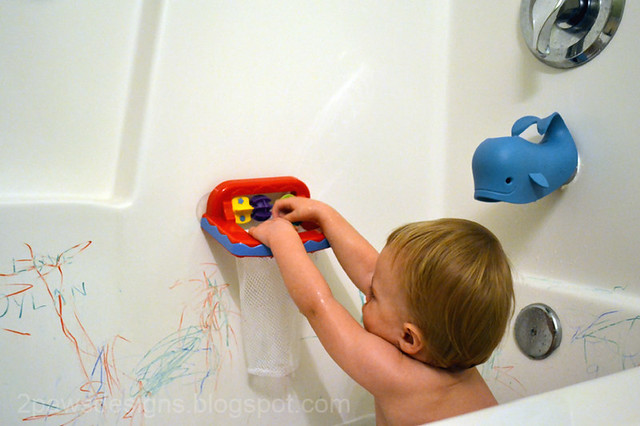
I like how it turned out.  Still retained a bit of the softness and quietness of bedtime, but sharpened up a bit for clarity.  Then, purely for fun since Ashley's second tutorial focused on bath time shots, I pulled out this photo I took earlier in the month of Dylan playing in the tub:

BathTime-SOOC

My version of Photoshop doesn't have some of the features her PSE has so I played around on my own starting with adjusting the levels.  Then I created a color balance layer (+1, -4, -12).  Cropped the photo to remove the bit of washcloth hanging in the top left (I just didn't like the look of it!).  Merged all the layers.  Used the noise filter, median (3 pixels), as I did in the good night edit.

BathTime-Edit

I feel like the colors are still slightly off, but I like the overall look and brightness much better!  Definitely fun to play around with and I'm sure I'll have more bath time photos in the future to edit!  :)

Join in the fun with Forever'n Ever'n Always Photography and Ramblings and Photos:

1/26/2011

Shoot and Edit: Good Night

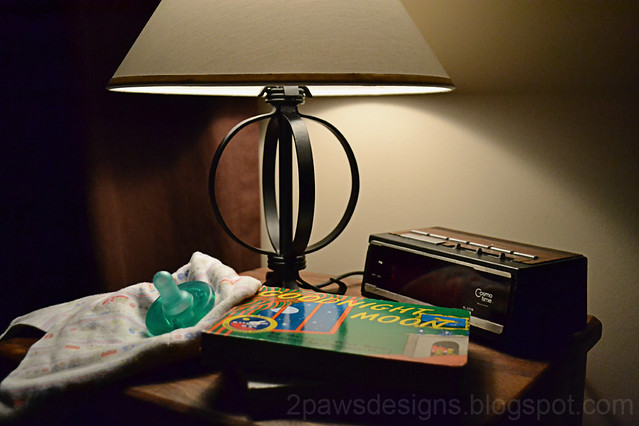
This week's prompt for Shoot and Edit is what says "Good Night" to you. I had an idea for my photo almost immediately, but kept getting wrapped up in our evening rituals and forgetting!  Finally, last night I remembered and snapped a few shots.  "Good night" to me is cuddling with my sleepy boy just before his bedtime and reading books. 

ISO 3200, ss 1/500, f4.5
His lovey and Soothie (pacifier) are restricted to bedtime only so those are a big treat for him to see sitting out on his nightstand.  I'll let him have both as we read. Our books vary depending on what he selects but regular favorites are the two in the photo - Goodnight Moon and Night-Night, Little Pookie.

Join in the fun with Forever'n Ever'n Always Photography and Ramblings and Photos:

1/25/2011

card: Happy Healing

I actually made this card several months ago and forgot to share.  It's a lift of Get Well Card by KristiRae at Two Peas.


Supplies: Stampin' Up Kiwi Kiss cardstock; miscellaneous white, blue & ivory cardstocks; A2Z Essentials & We R Memory Keepers patterned papers; black stamp ink; Making Memories letter stickers; Band-Aids.

1/24/2011

December Daily 2010: Final Pages

The final pages in our December Daily album.  I decided to continue it through January 1st since that was the last day of our Christmas celebrations with family ...


And I created a page for November 30th to start the album since that marked the start of our Christmas (how could I leave out that memorable moment with Santa?) ...


All that is left is to create the title page and cover then have it printed at Shutterfly!

Supplies: Ali Edwards's December Daily Layered Template Package Vol 3 and 31 Days Overlays; Miss Mint's Winter Sparkle kit; Deena Rutter's Happy Christmas kit; Robyn Meierotto's Holly Jolly kit; Kate Teague's Holiday Lovin' kit; Betsy Tuma's Snow Kissed Christmas kit; Karen Funk's Christmas Magic and Fallin' For You kits; Rhonna Farrer's Celebration and Office Supply Mini kits; Instagram App on iPhone; Cherie Mask's Merry Brushes; Amienne and Another Typewriter fonts.

1/20/2011

Shoot and Edit: Good Morning edit

Confession, I'm really wishing I had one of these on hand at the moment.  The edit is making me hungry!

No Camera Raw.  I did try opening it as a raw image in PS and all I got was a grainy gray nothingness so I skipped that.  I opened the original image (on the right) as a .jpeg in PS and started with adjusting the levels.  I used the picker to set my white and black points.  Then I selected "enhance monochromatic contrast" in the Auto Color Options.  I returned to the levels window and adjusted the settings a bit until I liked the look.  The final settings were 14, 1.25, 255, 8, 255.

Next I jumped into Ashley's tutorial.  I followed it almost exactly.  I chose to eliminate a few of the layers (hue/saturation, black & white and photo filter) that I felt didn't quite give my image the look I wanted.  Here's the end result (click to enlarge):


Join in the fun with Forever'n Ever'n Always Photography and Ramblings and Photos:


ETA: For all I've made hungry with my donut muffin photo, I found a great recipe here.  Super easy & delicious (I made a batch immediately upon finding it!).  :)

1/19/2011

Cars Blanket

Yesterday Dylan and I went fabric shopping for a couple of gifts I am working on.  While browsing, we came across flannel with Disney's Cars characters Lightning McQueen and Mater.  Cars is a favorite of Dylan's right now and he was very excited.  I set the bolt across the cart in front of him.  He kept pointing at the cars saying, "ca, ca."  How could I not buy a little bit?

After he went to bed last night, I referenced two tutorials (The Crafting Chick's Minky Baby Blanket and A Feathered Nest's Simple Baby Blanket).  Using the Cars fabric and some dark brown minky dot, I made Dylan a blanket.  It's overall size is 32x36.


Perfect timing as a little impromptu gift for our sweet boy who turns 18 months today!  I gave him his new blanket this morning.  He immediately began running his finger around it making car sounds.  I'm taking that as "thanks, Mom!"  :)

1/18/2011

December Daily 2010: Days 21-25

Nearing the end of our December Daily pages, here are days 21 - 25:


Supplies: Ali Edwards's December Daily Layered Template Package Vol 3 and 31 Days Overlays; Miss Mint's Winter Sparkle kit; Tia Bennett's Juicy Accents; Vinnie Pearce's Punch Elements; Betsy Tuma's Snow Kissed Christmas kit; Deena Rutter's Happy Christmas kit; Robyn Meierotto's Holly Jolly kit; Amienne, Impact Label and 2Peas Old Type fonts.

1/17/2011

Shoot and Edit: Good Morning

Technically, I picked up this delicious donut muffin from a local bakery during lunch last Thursday.  But having a made from scratch chocolate donut muffin earlier in the day would definitely be a good morning, thus, it's my SOOC shot for this week's Shoot and Edit.


Join in the fun with Forever'n Ever'n Always Photography and Ramblings and Photos: